


Keeping your data safe is one of the most important challenges facing businesses today. And no one can predict what might cause data loss, hard drive failure, system damage, power failure, through theft or some unpredicted nature disaster.


During the consultation phase, Darwin IT initiates the process by assessing your data loss situation to determine the best and most cost effective data recovery solution. We provide an overview of the data recovery process, and review pricing options including a fixed, nominal evaluation fee and a price range for data recovery services.
Consultation
Darwin IT provides you with comprehensive evaluation results before you decide to proceed with your data recovery. This transparent process enables you to make an informed decision
Evaluation
Following the initial consultation and evaluation, Darwin IT identifies the specific data recovery software and file recovery software required to meet your needs.
Upon receipt of the signed Data Recovery Authorization Form, engineers perform repairs and recover data using over 120 proprietary tools.
Data Recovery Service
Once the recovery is complete, Darwin IT provides the following:
- Delivery of recovered data on your media of choice (hard drive or DVD)
- The timely return of recovered data based on the selected method and service level
- Simple instructions on how to access and re-
install recovered data
Completion
Initial steps upon data loss
If a data loss occurs, there are steps to take to increase the chances of a successful recovery.
- Avoid all write operations to the affected storage device.
- Do not starting the system connected to the affected device.
- Other writes operations such as copying, deleting, or altering the files should also be avoided, as well.
- Shut down the computer and remove the drive in question from the unit.
- Re-
attach this drive to a secondary computer with a write blocker device, and attempt to recover lost data.
Losing data because of a computer problem or a hard disk crash is discouraging, to say the least.
You might lose family photos, your music collection, or financial data. And, after you get the computer just the way that you want it, it can take a long time to reconfigure your personal settings on a new computer: desktop background, sounds, screen savers, and wireless network configurations to name just a few.
However, a little prevention can go a long way to avoiding this. To help save you lots of time and aggravation, we recommend that you take the precaution of regularly backing up your data and settings.
All Trademarks and Registered Trademarks are the property of their respective Owners.
2005 – 2024 Darwin & Associates IT, All rights Reserved




One of the most costly causes of data loss comes from malicious programs. Ransomware and crypto ware viruses have been known to gradually encrypt all of a user’s data, requesting payment before they’ll release the code to unlock it so the hijacked data can be restored. Because cyber criminals frequently target small businesses, whose systems are notoriously easy to infiltrate, it’s imperative that businesses do everything possible to dodge such threats. Surrendering to payment terms is an option that can return your data to you, but it shouldn’t be your go to plan.
Instead, keep your business out of danger’s path by practicing safe online practices such as avoiding visits to unverified sites and avoiding unsafe downloads to your computer. Also, ensure your system is protected from viruses and malware. To completely ensure the recoverability of your computer data, even when it comes to these attacks, you should have a data backup you can rely on. Even if your data is maliciously encrypted, you can use your backup files to completely restore your data as it should be.

While you may not have control over floods, fires, computer failure or other data loss events, you do have control over how you respond to, plan and prepare for them. Waiting until data loss happens is the worst approach you could take. Instead, keep a reliable and easily recoverable copy of all of your data, files, folders and programs by investing in a reliable cloud backup software.
Cloud backup allows you to access files that have been lost on a computer either due to malicious or accidental reasons. If ransomware infects your computer, simply restore your device to factory settings and recover your healthy, untouched files from your cloud backup.
If your computer takes on irreparable damage, simply access your backup and upload it to a new device. No matter what happens to your data, it’s always easily recoverable with a reliable cloud backup program. This of the most important steps to take in data loss prevention.
If you notice that you’ve lost some of your data, one of the worst things you can do is to panic, which can make the problem worse. The quicker and smarter you are in responding to a data loss event, the more likely you’ll be to recover the most of your data.
This starts with having a data loss recovery plan in place. Ask yourself, would you know what to do if your computer crashed, if your system was encrypted, or if you permanently changed or deleted an important file?
If you’re not sure of the answer, your data and the health of your business could be in great jeopardy.
With your data loss recovery plan mapped out, you’ll have a list of appropriate steps to take in any data loss event so that you can recover from it as quickly and efficiently as possible. When disasters happen, preparation is key.


Once you notice a computer system or data loss issue, best practices instruct that you limit the usage of your system as much as possible until you have time to investigate and attend to the issue.
Not doing so can make matters worse, causing you to overwrite lost data and making it harder for you to recover lost files. Unless you can pinpoint the problem and are sure that the data you’re accessing won’t worsen the loss, limit your use of the computer until it’s looked at.

If you are very worried about your lost data and it is your highest priority to recover that data, then you should take your device to an expert as soon as possible. They’ll be able to diagnose the problem, and may be able to help you recover some (or all) of your data.

It should be noted that this includes downloading a data recovery program, if you’re planning to DIY. Downloading or installing a new program to your computer can overwrite the data you’re trying to recover and it can cause newly created data to be lost as well. Use data recovery programs that can be externally accessed, such as through a CD.

If you choose to DIY, select data recovery software that it authentic and safe to use. Ideally, you should search to find which data recovery software is the best for your system and has been used before by many people successfully as proof of its credibility.

Learn to recognize the signs of a failing hard drive. Doing so will make it easier for you to anticipate data loss before it happens, giving you time to take action. Some common signs of a failing hard drive include clicking, grinding or whirring sounds. Also take note if your system begins running sluggishly. When you hear or notice these signs, shut your computer down immediately and unplug it from its power source, then continue with your data recovery plan.

Data corruption occurs as a result of the constant reading and writing of information by your hard drive. If a software error or a power failure prevents a computer from completing a data write, a file may become corrupted and unreadable as a result. This is especially common with large files such as email archives, SQL databases, and other large databases. No matter which way you slice it, it’s never a good thing.
In order to avoid data corruption, avoid shutting down programs using the Task Manager, the forced shutdown command, or in any other unusual manner. Never unplug an external hard drive or flash drive without first ensuring that your operating system is finished working with the drive.
Data loss can present a frustrating task to those who have to deal with it. For a business, data loss can interfere with normal operations damaging reputation and finances. With so much at stake, it’s essential for businesses to take a vested interest in protecting their data, in mitigating data loss and in having a data recovery plan mapped out and ready for when the inevitable happens.
From professional documents to private records and photos our digital lives are increasing the data that on our computers and smartphones. Because many of these files only exist in a digital format, we want to be sure to avoid their loss. Regular data backups should therefore form part of our daily tasks.
Before the actual data backup, always ask yourself which data needs to be backed up. After all, backing up data is time-intensive and can be costly, depending on the storage medium. For example, it’s a good idea not to back up data that could be easily restored by downloading it again (e.g. software). For individual documents (photos, emails, contracts, and other text documents) you could avoid multiple versions of the same document by storing only the current version.
Another important consideration when saving data is whether the backup should be manual or automatic. Manual backups are only worthwhile if you want to back up very specific documents. With an automatic backup, you can use appropriate software to specify which documents and folders are backed up, when and how often, and to which folders. Redundancies and versioning may be taken into account here. For example, you can specify whether data that has already been backed up should be stored separately again, replaced, or omitted.
In most cases, setup is intuitive and user-friendly for even inexperienced users to easily perform an automatic backup.

Storage media are typically offline or online.
- Online or cloud storage can be set up quickly and inexpensively. Users don’t need extensive technical know-
how and storage space is easy to scale. - Other external storage, i.e. media such as hard disks, network storage, or magnetic tapes, are independent of the Internet and have the advantage that the data is your responsibility at all times.
In comparison, optical storage media such as CDs, DVDs, Blu-

Backing up data to the cloud is a cost-
One problem with data storage in the cloud is data protection. Your data is backed up to the servers of an external provider, hence the security of your data depends on them.
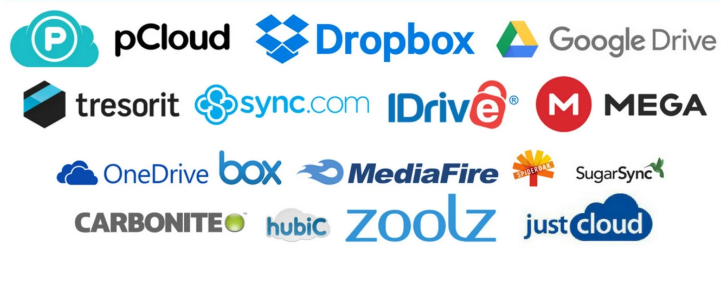


The external hard drive is a classic storage medium for backups. Available in almost any size and price range, simply connect the hard drive to your computer via a USB port. Depending on the size of your data, a simple USB stick serves the same purpose.

The somewhat more expensive, but more fail-

When backing up your data, you should:
- Follow the 3-
2- 1 backup rule: Store three copies, in two locations, one of which is off- site. - Always reduce the data you’re backing up to the essentials. Sort out versioning and duplicate data sets before backing up, as well as programs and documents that you can always download again from another source.
- Use write-
once media or store read- only copies of documents so that when you back up again, you don’t accidentally overwrite content. - Avoid storing data in “exotic” formats. Since formats change over time or because you may lose access to a program to open certain file formats, always store your data in standard formats. This includes formats such as PDF, JPG, MPEG, UDF, etc.
- If you store your data encrypted, keep in mind that passwords are also stored long-
term. - Decide on a unique name (including date) for your backups to find them quickly later down the line.
- After completing a backup, check that all files have been backed up correctly and in full.
- If necessary, regularly check the functionality of the storage media and replace them if necessary.

Discovering you’ve lost files stored on your computer is a very frustrating experience, especially if the files contain important information. DO NOT assume the files are gone permanently. Even if you’ve suffered a severe hard drive crash, any lost or deleted files can still be retrieved.
Data Recovery is done on a case by case basis. Several factors must be considered, including:
- Time elapsed since the file was lost or deleted
- The severity of the crash (in the case of a hard drive or system crash)
- Whether the hard drive has been corrupted
- The circumstances of the fail (power failure, dropped system, etc)
- The type of media we need to cover from (hard drive, USB key, etc)
- Once we have determined the severity of the case, we can discuss the options available and the costs involved.

Call now! +27 (0) 83 319 7201
info@darwinita.co.za
Many computer users never have to deal with this type of data loss, but RAID server failures can inflict terrible economic damage on companies that have failed to adopt a strong backup program. In many cases, RAID drive failures occur either as a result of a failed RAID rebuild or as a result of multiple server hard drives failing at the same time. No matter how you look at it, this is by far the most expensive and damaging form of data loss.
To avoid a RAID failure, it is essential that you adhere strictly to all rebuild procedures, as well as regularly back up important data to a separate, offsite storage location (which is quite easy with the wide array of cloud based backup services these days). Many businesses maintain at least three levels of backups, which should ensure that the majority of data loss incidents never have an impact on productivity.
Hard drive failure is by far the most common cause of data loss that results in permanent data loss. Through normal drive operation, it is possible for hard drive read/write heads to become physically unable to function, often resulting in contact with the magnetic material that is used to store your data. In order to recover data from a physically damaged hard drive, you’ll need to find a data recovery company that has a certified Clean room.


- Computer Network
- Data Recovery Services
- IT Business and Services
- IT Support Services
- On Site Support
- Remote Desktop Assistance
- Cloud Computing
- Information Security
One of the most overlooked aspects of owning a PC is having a proper backup solution in place for when something goes wrong. Anything from a power surge to a corrupt hard disk can cause you to lose years of information, including important documents, family photos, even your favorite music and films. Ensuring your system is backed up means that nothing is lost and everything is easily retrievable. Your backup needs may vary depending on how much you use your computer and what information you store on it.
We provide different options of backup solutions:
- USB Flash Keys
- External hard drives
- On site automatic backup systems
- Online backup services
- Backup of hard drive to external device (not including cost of hardware)
- Backup of hard drive to online service (not including cost of service)
- Backup of hard drive to another computer (not including cost of hardware)
- Contact Darwin IT to set up a backup plan that is suitable for the size of your business.
Data Recovery
Specialists
Affordable Computer
Sales & Services
Virus Removal
Upgrades & Repairs
Internet
and Networking Setup

No Hidden charges
Certified Refurbished PC,
Printer & Consumable Supplies
Personal PC Training
Virus & spyware removal
System tune up
Desktop & Laptop repair
Maintenance & Upgrade
Free pickup & Drop off
Free Troubleshooting via phone

| IT Services Repairs |
| IT Services Maintenance |
| Cloud Computing Security |
| AI and RPA |
| Cyber Security & Data Protect |